
CMD HACKER / FAQ
Frequently asked questions
The game's universe, and how attack, defense, clans, slots, keys and rootkits fit together.
Updated October 3, 2026
This guide explains what influences each outcome, not the math. Numbers, weights and formulas are not disclosed and may change with game updates. Screenshots are from the English version of the app.
The game
What is CMD Hacker?
It is a mobile strategy game where the app is a fictional operating system. You run your own system, upgrade modules, scan other bases in the city, attack, defend, and team up with other players in clans.
Everything is fiction: IPs, networks and attacks are game elements and give access to nothing real.
What is a slot?
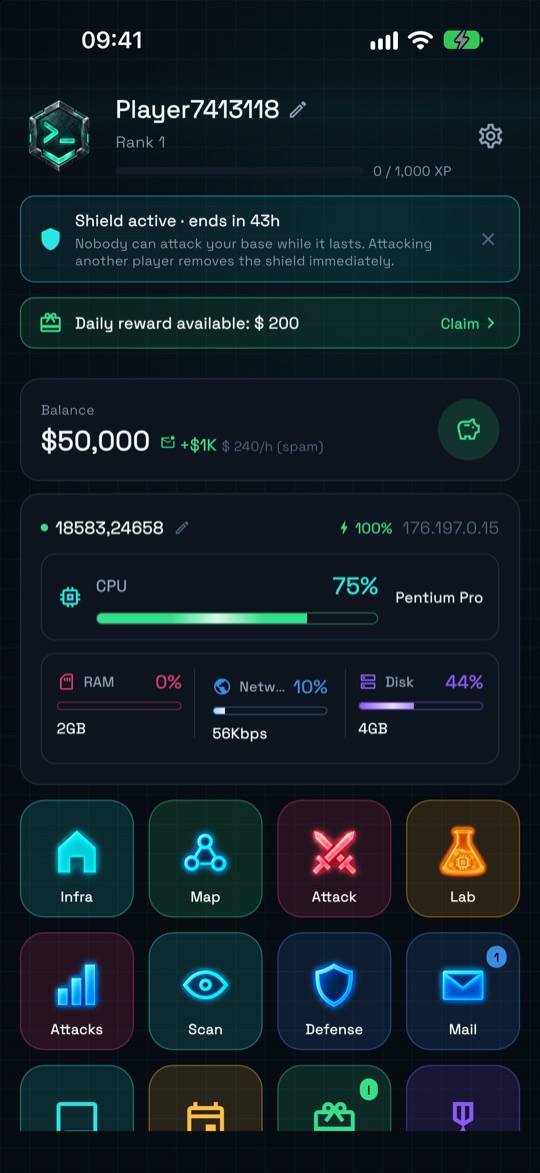
A slot is a base in the city, with its own IP, energy and equipment. It is where you upgrade, and it is the slot that attacks, defends and can be conquered.
Bases with no owner (“unowned slot”) also exist on the map and can be conquered. Over time you can own more than one slot.
What are the modules and what do they do?
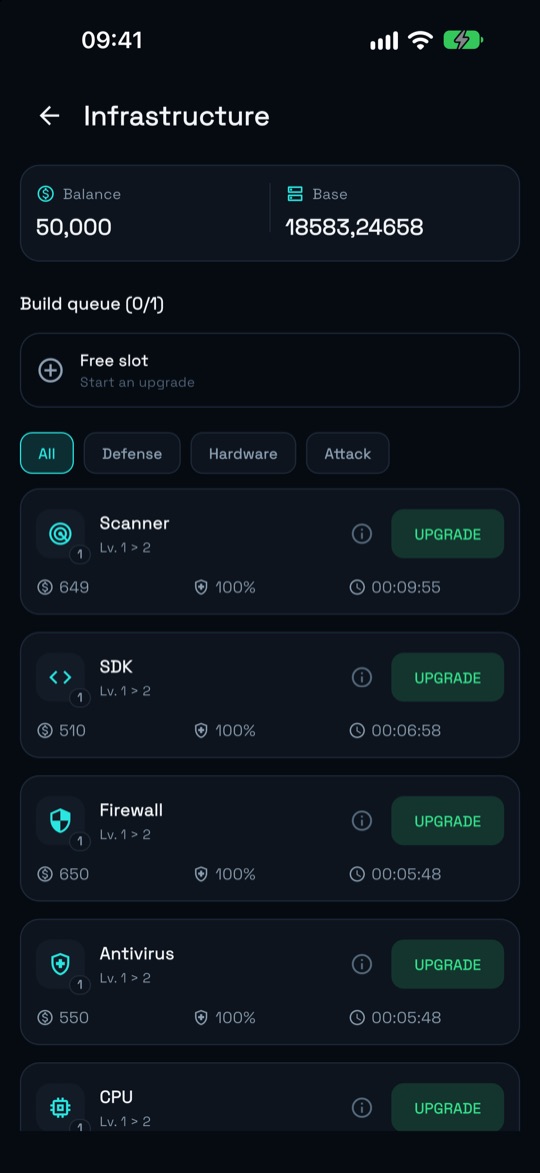
In Infra you upgrade your slot's modules. In short:
- CPU, Memory (RAM) and HD — the foundation of the system; they limit everything else. CPU and Memory also feed into attack and defense calculations.
- Scanner — finds out information about the target before an attack.
- SDK — a development kit used to build and improve exploits; it boosts your attacks.
- Trojan — higher levels increase the attack's chance of success.
- Firewall and Antivirus — protect your slot from attackers.
- Internet — the slot's bandwidth: speeds up operations, counts toward defense and lets you lend bandwidth to allies.
- Spam — generates income and influences loot.
Can I be attacked right from the start?
No: every new player starts with a 48h newbie shield. While it lasts, nobody can attack your base. Attacking another player removes the shield immediately, so use that time to grow.
Attack
How does an attack work?
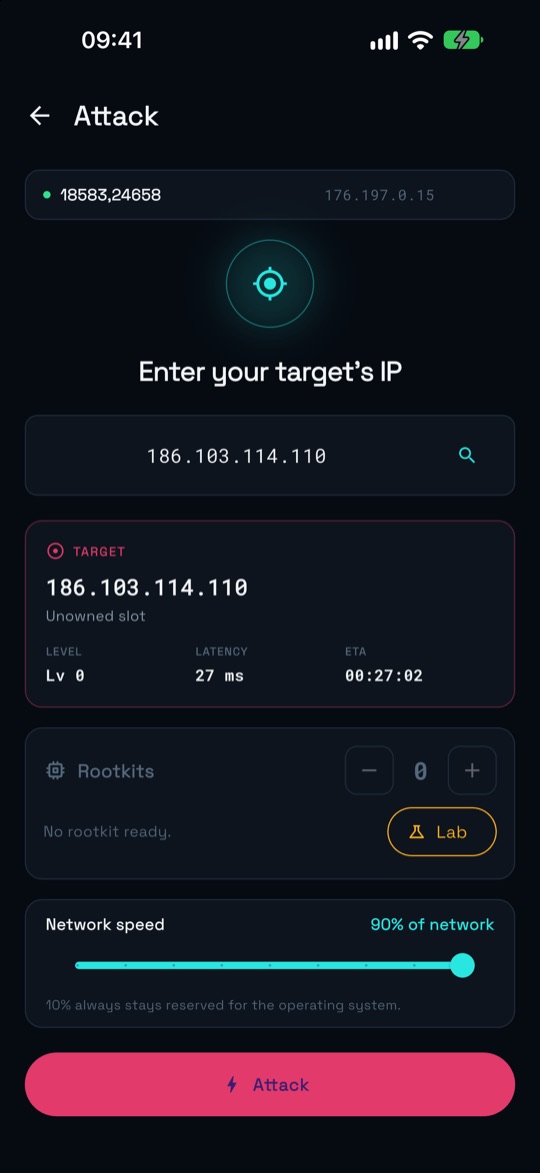
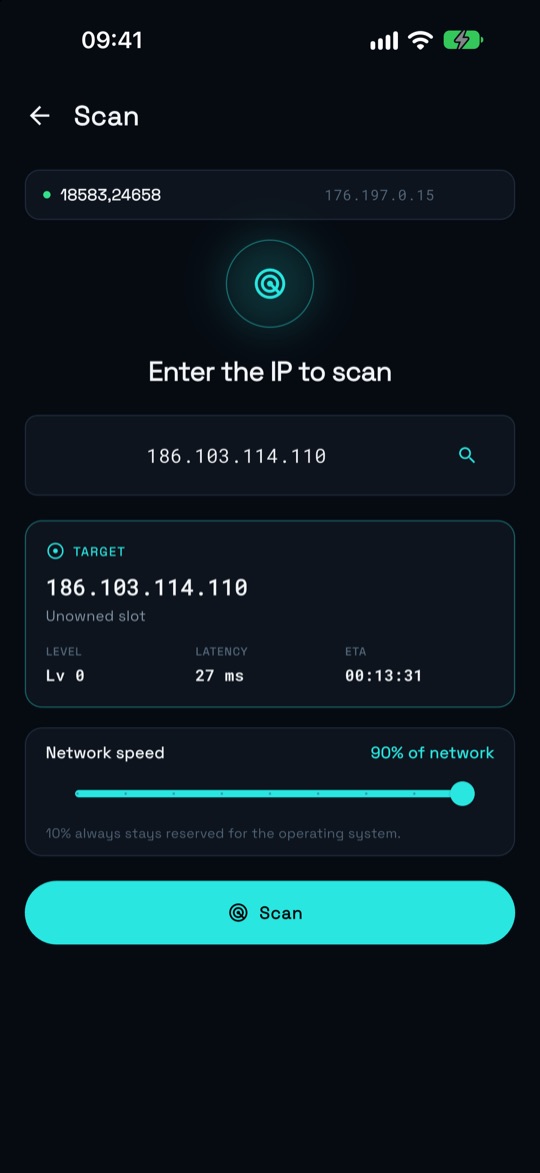
The usual path is: open the Map, pick a target, Scan it, then Attack. The operation takes time to reach the target (the ETA is shown on screen) and, when it finishes, the result becomes a report under Attacks.
Travel time depends on the distance (latency) to the target, the network speed you choose and the level of your Internet module. Attacks with rootkits are slower.
What is Scan for?
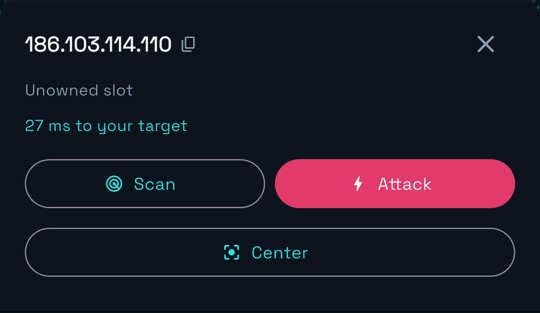
Scan reveals the target's equipment, energy and balance. The stronger your Scanner and Internet are compared to their scan defense, the more you find out — from a full reading to a blocked one.
If the scan fails, the target notices and your Scanner may wear down. Use it before attacking.
What influences the outcome of an attack?
The outcome compares your attack power against the target's defense. On your side, these matter:
- the SDK, Trojan, Internet, CPU and Memory of the attacking slot;
- the clan's Attack upgrade (it applies to every member);
- the rootkits sent along;
- module wear — a heavily worn module performs like the previous level until it is repaired;
- a luck factor, shown as a bar in the report.
On the target's side: Firewall, Antivirus, Internet, CPU, Memory, the clan's Defense upgrade, bandwidth lent by allies and parked rootkits.
We don't disclose weights or numbers: the balance is tuned by the game team.
What is “network speed” when attacking?
It is how much of the slot's bandwidth you put into the operation. Attack, scan and bandwidth lending share the same part of the network, and a part is always reserved for the system. The speed you pick changes the operation's time, not its chance of success.
Bandwidth you have lent to allies is not available for attacking.
What happens after the attack?
If you win, you collect loot — which grows with your Spam module and shrinks if the target has backup protection. If you fail or the attack is defended, you get nothing.
Both sides suffer module wear, and the weaker side suffers more. Without rootkits, a winning attack only loots; to take the slot, see Taking slots.
Who can't I attack?
Players with an active shield, players who turned on a VPN (the target “disconnects” and the attack is aborted) and your own slots.
Defense
What defends my slot?
The slot's Firewall, Antivirus, Internet, CPU and Memory, plus the clan's Defense upgrade and the parked rootkits in it. Part of your bandwidth always stays with the system and counts toward defense.
Bandwidth that is in use in an attack or scan, or that you have lent to someone, doesn't defend at that moment.
Can I send or receive Internet to help with defense?
Yes. Sending bandwidth reinforces another slot's defense in the same city: open the slot on the Map (or answer a reinforcement request in the clan chat) and tap Send bandwidth. To lend, your Internet module must be level 5 or above.
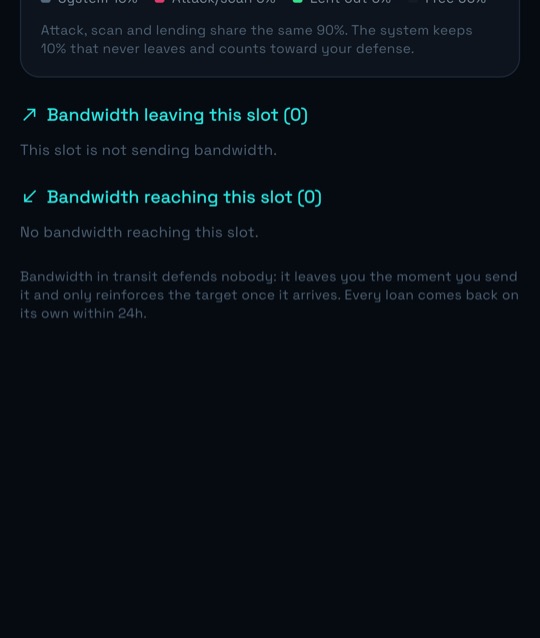
Whoever receives it sees the reinforcement under Defense → Bandwidth in. Sent bandwidth leaves you the moment you send it and only reinforces the destination once it arrives — while it travels, it defends nobody. Every loan comes back on its own after 24h, or you can take it back.
The more Internet the sender has and the larger the share sent, the bigger the reinforcement. If the reinforced slot takes wear in an attack, the allies who helped share part of it.
Does the clan upgrade count for defense?
It does. The Defense upgrade of the Clan Main Server raises the defense of every member, and the Attack upgrade raises attack. In the final combat calculation each side uses the bonus from its own clan.
Where do I see the attacks I receive?
On the Defense screen, which has three tabs: Attacks (what is on its way), Bandwidth in and Bandwidth out. A notice on the home screen also shows when an attack is incoming.
Clan
What is a clan for?
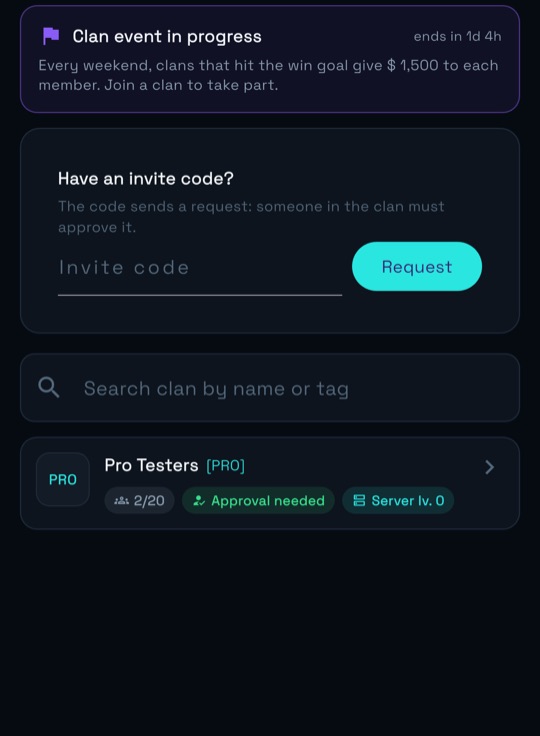
A clan brings together players who grow together: chat, bandwidth reinforcement requests, clan events and the Main Server, where members contribute credits to improve the group.
To join, search for a clan by name or tag, use an invite code, or create your own.
What upgrades does the clan offer?
The Main Server has three tracks, and each level adds a stacking bonus for all members:
- Attack — raises attack power;
- Defense — raises defense;
- Production — raises spam income.
Levels are bought with credits contributed by the members, and they enter the final combat calculation, both in attack and in defense.
Taking slots
How do I take a slot?
Every slot has energy from 0 to 100%. A winning attack with rootkits drains the target's energy; when it reaches 0%, the slot becomes yours. An attack without rootkits only loots.
On the Attack screen you choose how many rootkits to send. If none is ready, the shortcut takes you to the Lab.
Can I take an unowned slot?
Yes. Unowned bases show up on the map and are conquered the same way — by attacking with rootkits. Whoever conquers one earns extra experience and, on wild bases, part of the equipment they had.
What happens to the rootkits in each outcome?
Win: the target's energy drops and your rootkits come back.
Slot conquered: 1 rootkit is used up in the takeover; the others come back.
Loss: the rootkits sent burn and the keys come back.
What if someone takes my slot?
The slot changes owner and every rootkit parked in it burns. To stay safer, keep your Firewall and Antivirus up to date, count on your clan and ask for bandwidth reinforcement when an attack is incoming.
Keys and rootkits
How do I create keys?
In the Lab, under Keys. You get 1 key with each new rank, or you can forge one by spending credits and time — one forge at a time per city. Your first slot doesn't need a key.
The panel shows available and in use keys. If “available” goes negative, you have more slots than keys: forge until it is positive again.
How do I create a rootkit?
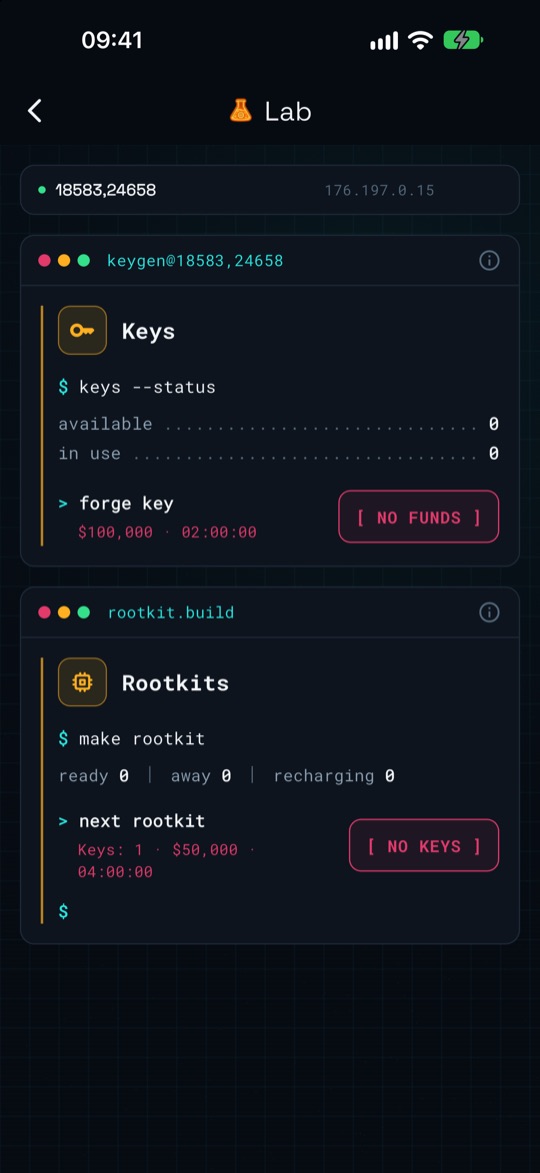
Also in the Lab, under Rootkits, by tapping Compile. Each rootkit costs keys and credits and takes time to be ready; only one is compiled at a time in each slot.
Each new rootkit costs one more key than the previous one, and while it exists its keys stay “in use” (if it burns, they come back). The rootkit stays in the slot where it was built and only leaves on that slot's attacks.
You get a notification when a key or a rootkit is ready.
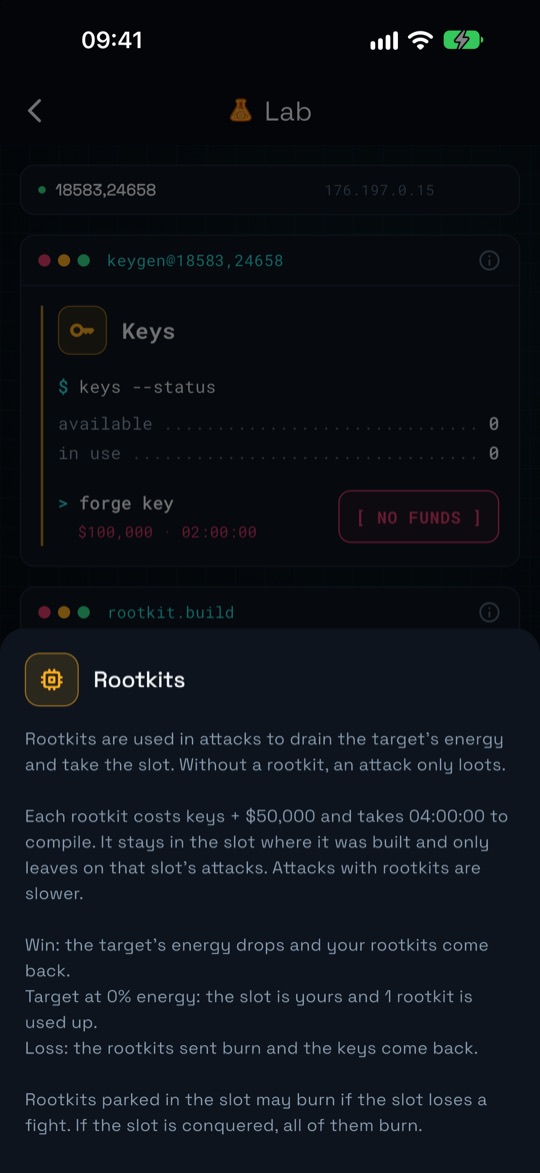
Do rootkits help with defense too?
Yes: rootkits parked in the slot reinforce its defense, but they risk burning if the slot loses a fight — and all of them burn if the slot is conquered.
Nothing found. Try another word.